Built for parents — and the coaches who develop players
Request a coach evaluation, then get a Development Report with strengths, growth areas, and drills you can use at home — on a Family plan made for parents.
Family plan for parents · Coaches start free · No credit card for coaches
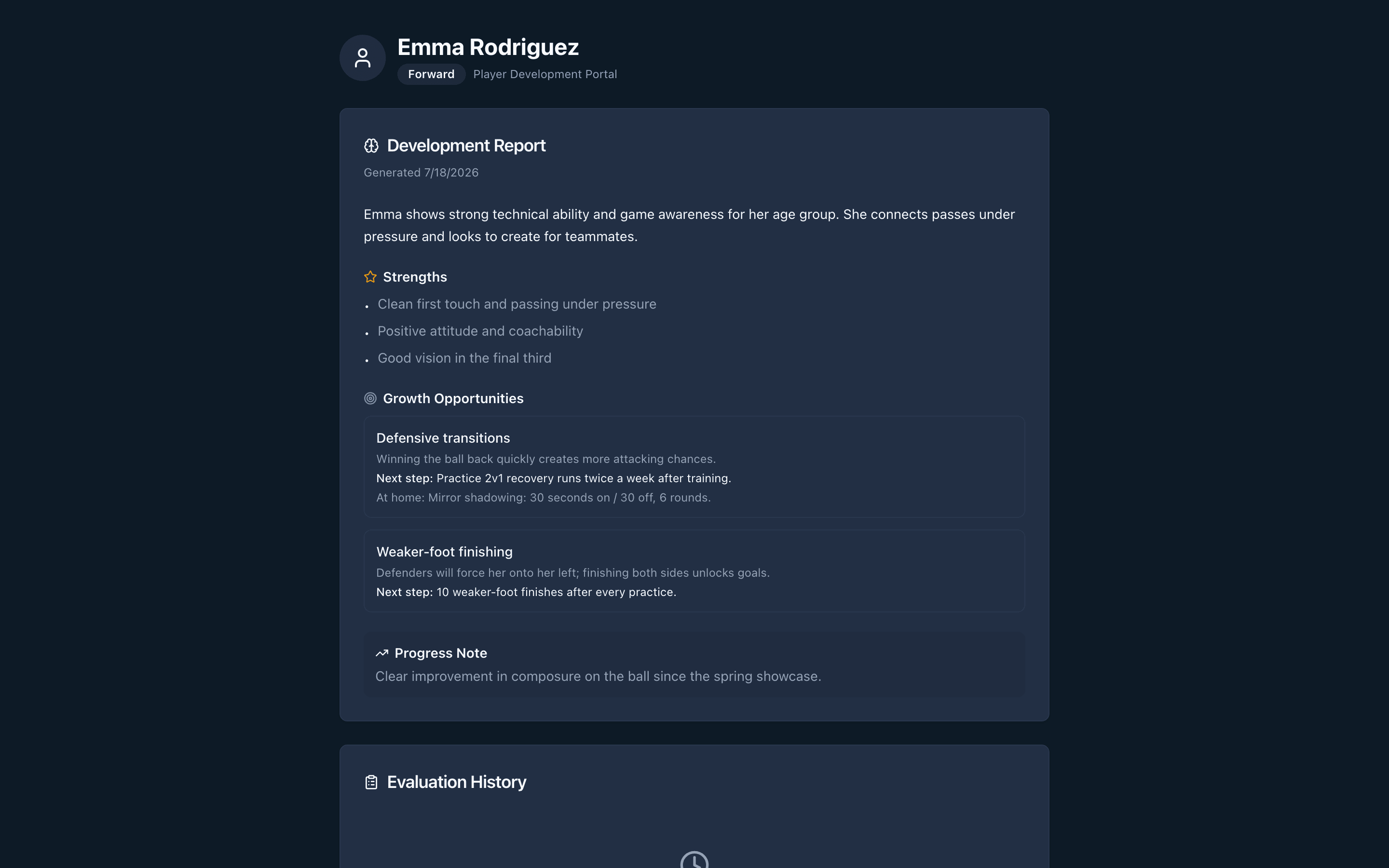
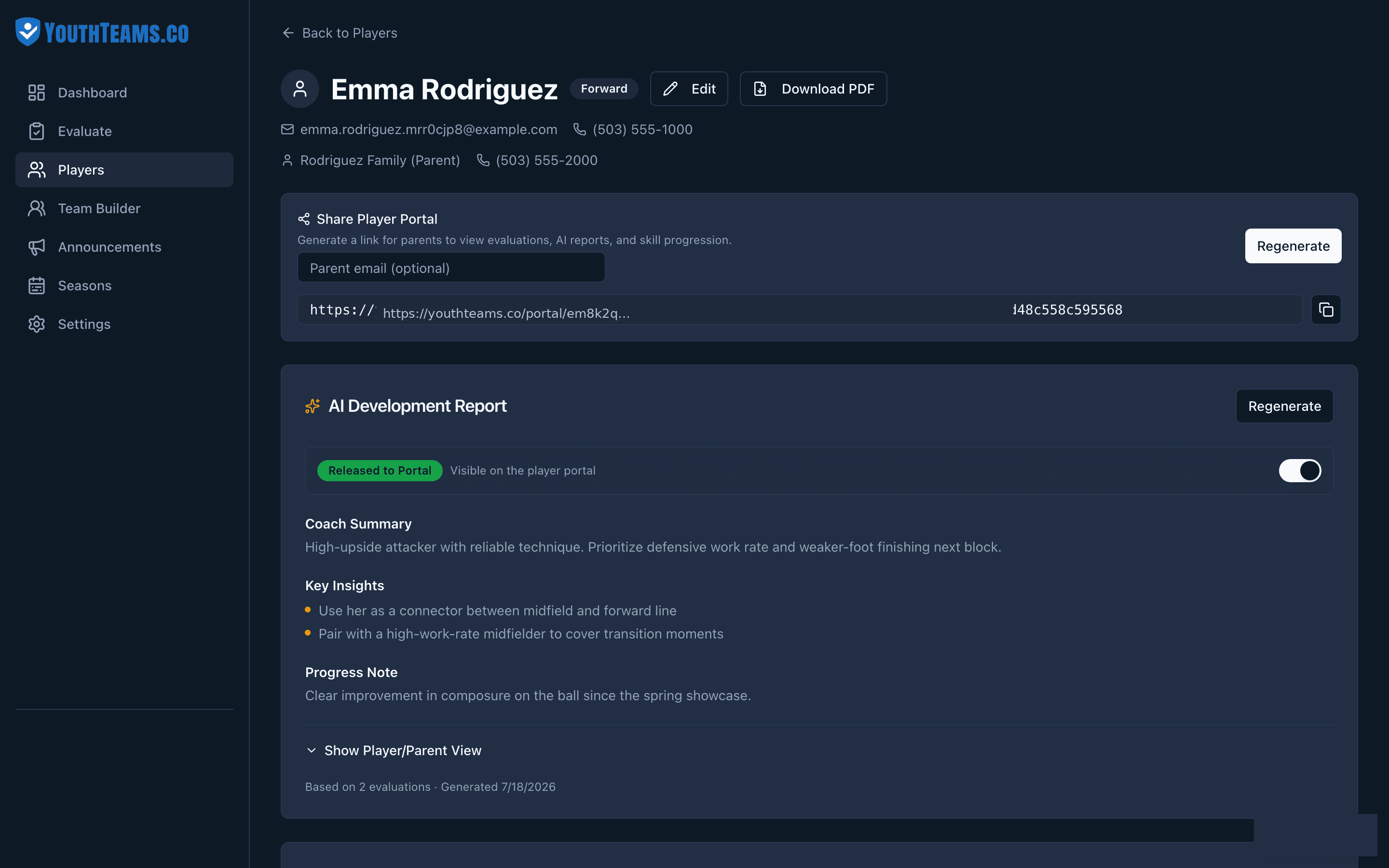
Example Development Report parents see after a coach finishes scoring.
Parents buy the Development Report loop. Coaches keep free tooling and full authority over scores.
Evaluation Request → Development Report
Tryouts & evaluations → balanced teams
Parents · Evaluation Request
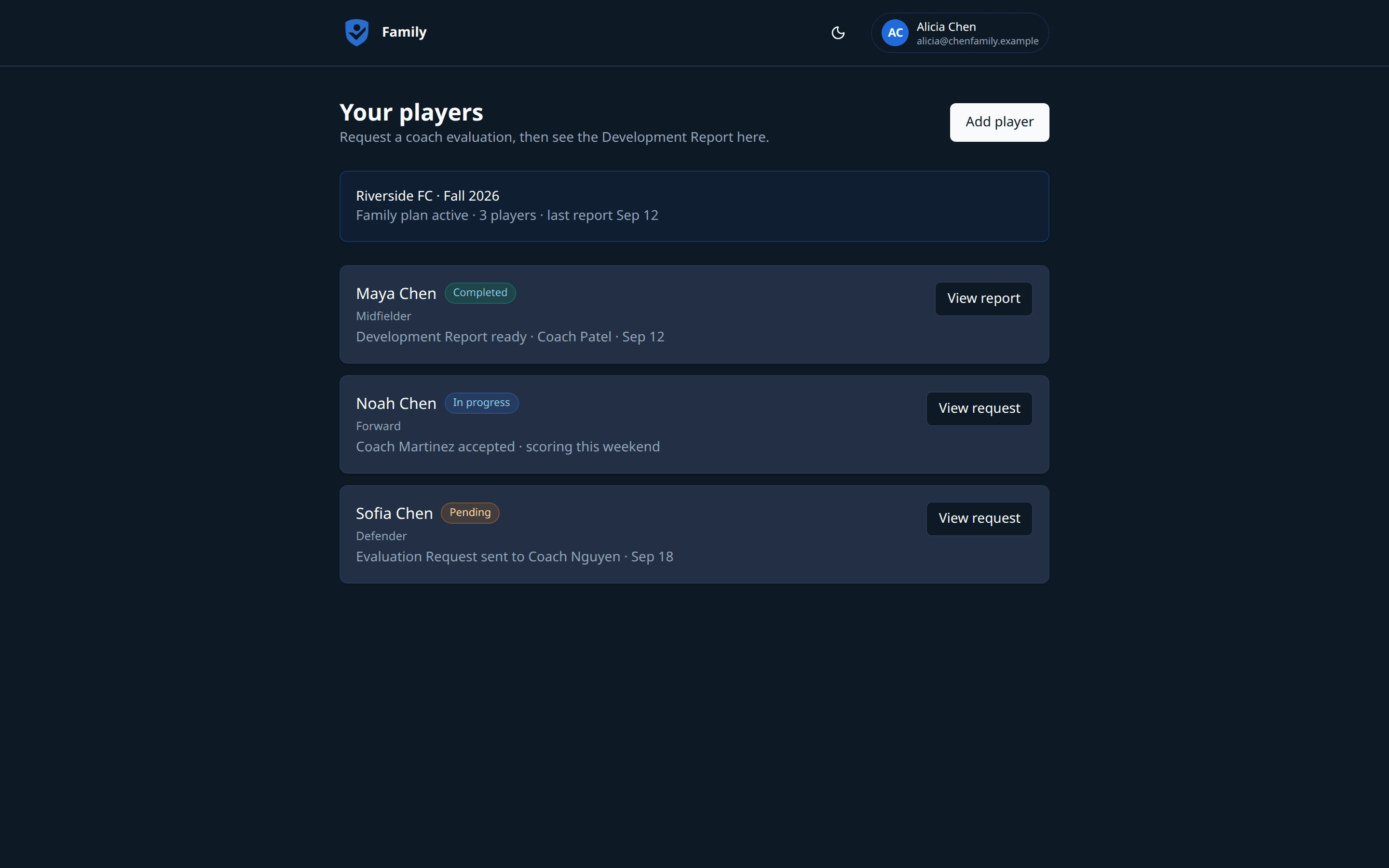
From Family home, email a coach an Evaluation Request. They get notified, accept or decline, and score on a focused one-player path — you don’t chase texts.
Parents · Development Report
Strengths, growth areas, and at-home drills from a completed evaluation. Follow progress in Family home without coach-only notes.
Coaches · Evaluate
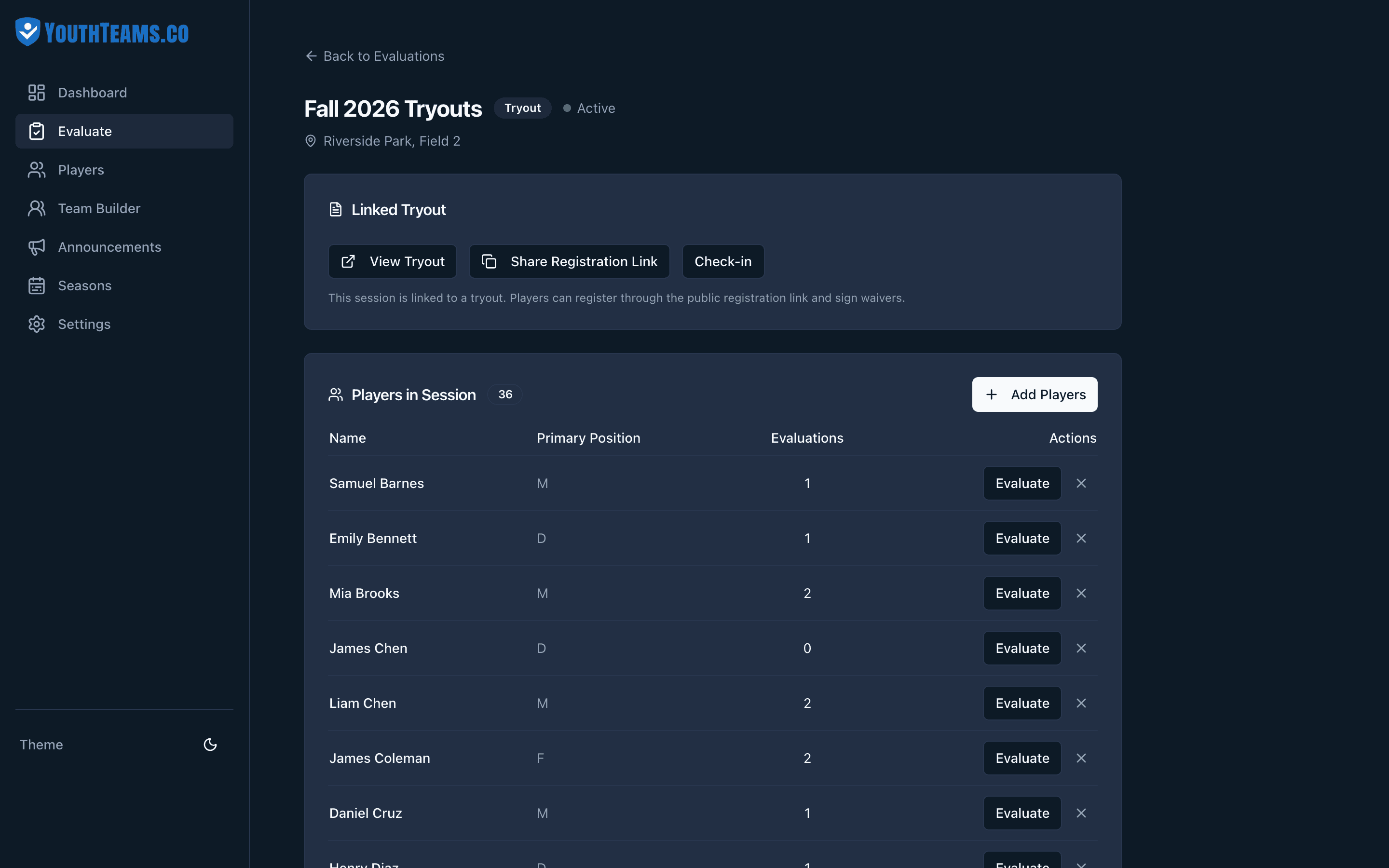
Run sessions from one Evaluate hub. PIN stations mean helpers score from a link — no app to install. Fulfill parent Evaluation Requests on a focused path.
Coaches · Stations
Hand a station link to volunteer coaches. They sign in with a simple ID and PIN, then rate players 1–10 on the criteria you assigned.
Coaches · Team Builder
Suggest balanced rosters from real evaluation data, then drag players between teams until it feels right. Save and export when you’re ready.
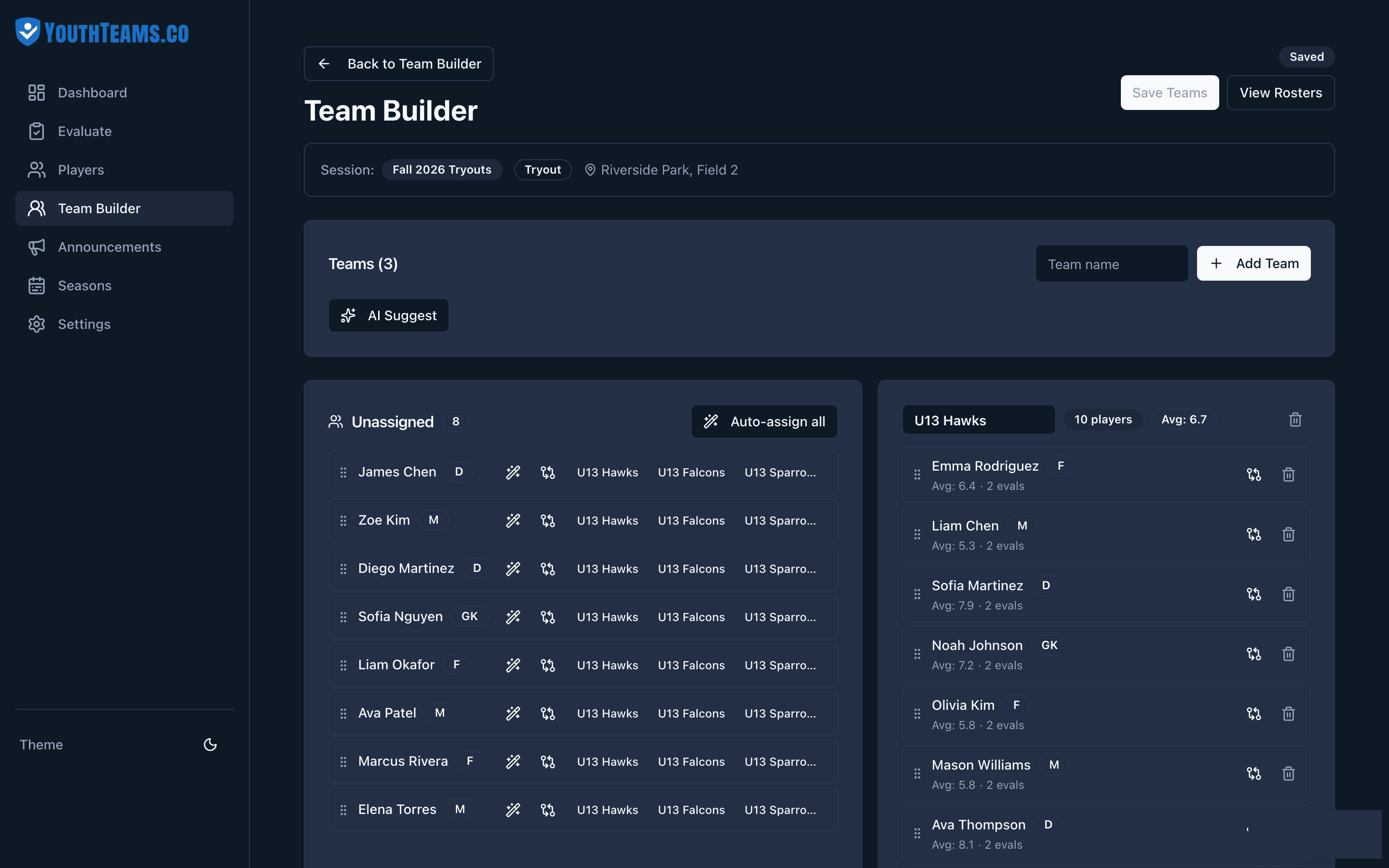
Coaches · Develop
Radar charts, trends, and history turn one-off tryouts into a long-term record your staff can act on — and parents can follow through Family reports.
Registration
Share a link for tryout sign-up with guardian details and waivers — then check players in on game day.
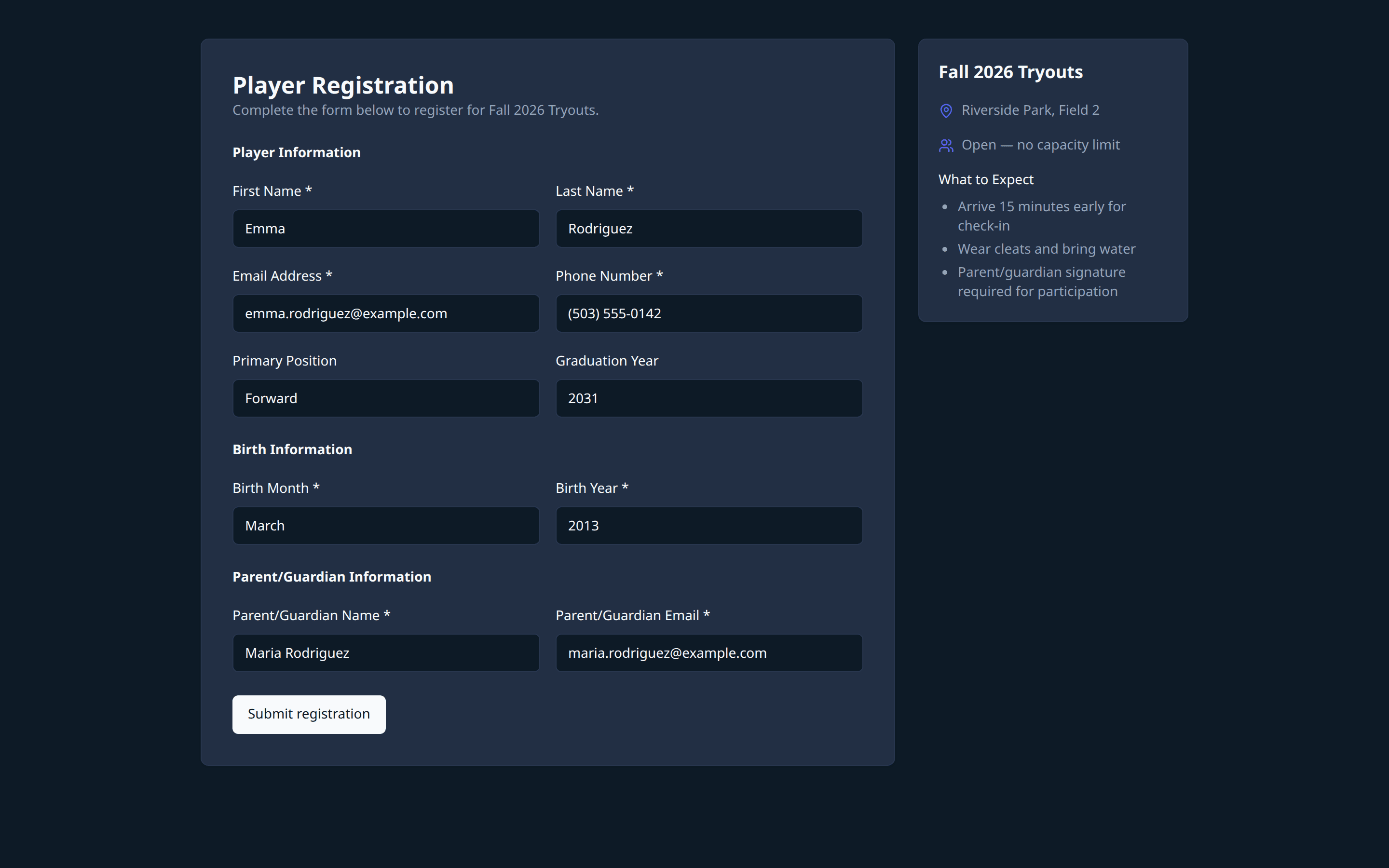
Parents subscribe to the Development Report loop. Coaches keep tryout and team tools — start free, upgrade when the club needs more.
Parents
Coach evaluations, Development Reports, and AI practice plans for your players
Coaches
Run tryouts and manage teams for your club
Coaches
Full evaluations, AI insights, and parent communication
Rate a sample roster and generate balanced teams in the free demo.
Free demo — AI generation requires a free coach account (plan limits apply).
Try the AI Team BuilderA Family plan lets you add your players, email a coach an Evaluation Request, and see Development Reports with strengths, growth areas, and at-home drills. You follow progress over time without coach-only notes.
Parents ask a specific coach to evaluate one player. YouthTeams emails the coach; if they already have an account, the request also appears under Requests to accept or decline. Coaches keep full authority over scores.
Create an evaluation session, add players, and score them on skill criteria from the sideline or a laptop. Assign PIN-login stations so multiple evaluators can score at once — progress updates live.
Yes. With a Family plan, parents see Development Reports and evaluation history for their players. Coaches can also share a secure parent portal link for released reports — never coach-only notes.
AI analyzes evaluation scores, positions, and your roster constraints, then suggests balanced teams coaches can drag-and-drop to refine before saving and exporting rosters.
Coaches can start free with no credit card — AI Team Builder demo and plan limits apply. Family is the parent subscription for Evaluation Requests, Development Reports, and player history. See Pricing for details.
YouthTeams is built for youth soccer evaluations today (field and goalkeeper criteria). In the future we will release other team sports — basketball, baseball, softball, football, volleyball, lacrosse, and more — on the same workflow: register, evaluate, build teams, and share reports.
Yes. You own your data. Coaches can export rosters and player information when needed for a club, league, or archives.
Parents start in Family. Coaches start free. Clear paths — parents and coaches each get their own home.