For parents
Stop guessing after practice. Request a coach evaluation, then get a Development Report with strengths, growth areas, and drills you can use anywhere.
Family plan · Add players · Evaluation Requests · Development Reports
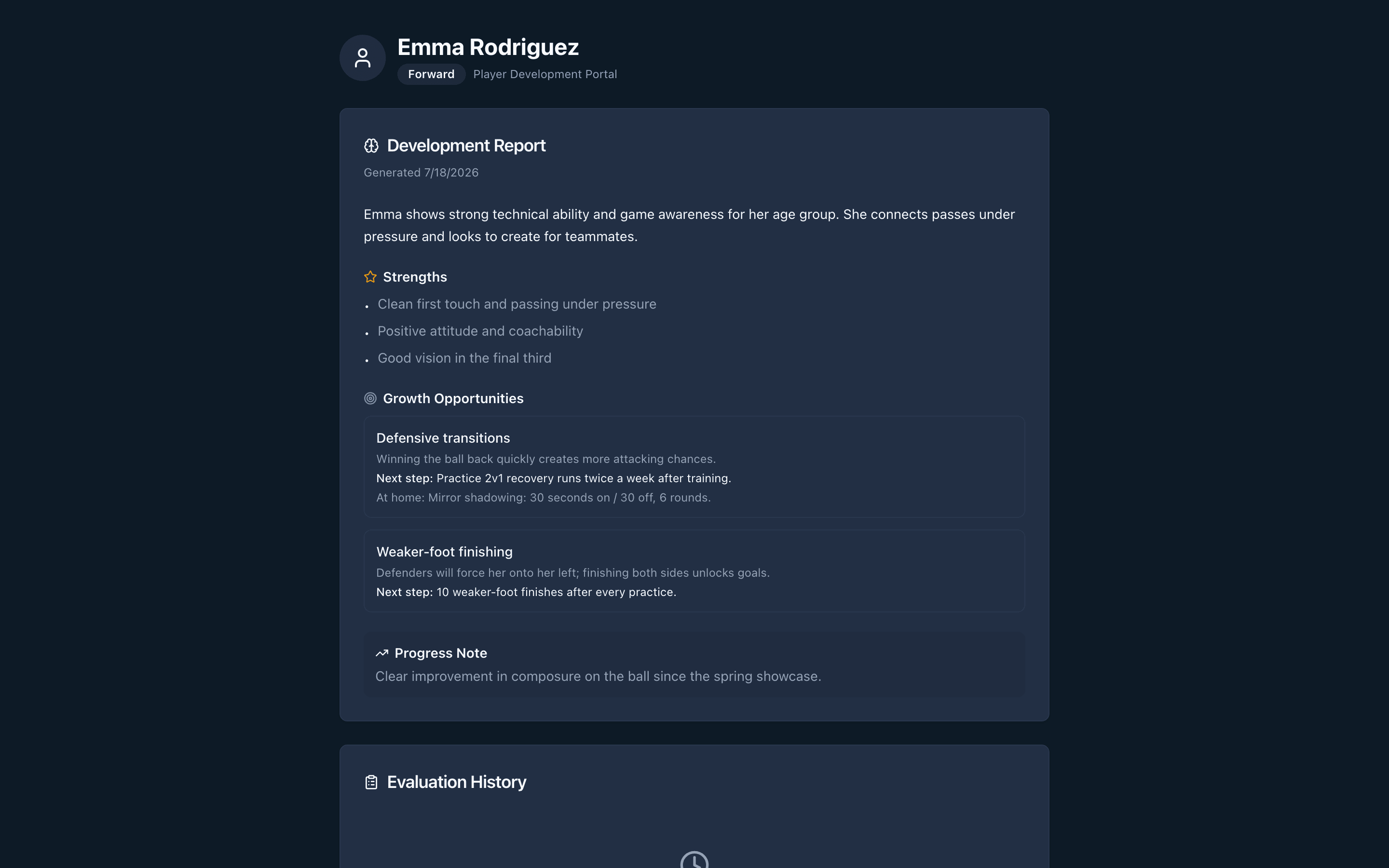
Example Development Report parents see after a coach finishes scoring.
Most parents get a quick "they're doing great" and nothing written down. YouthTeams gives you a clear request to the coach and a parent-facing report when scoring is done, without coach-only notes.
Three steps from signup to a report you can use at practice.
Create a parent account and add each kid in Family home.
Email a coach an Evaluation Request. They accept or decline; you see status in Family home.
Strengths, growth areas, and at-home drills from a completed evaluation. Coach keeps full authority over scores.
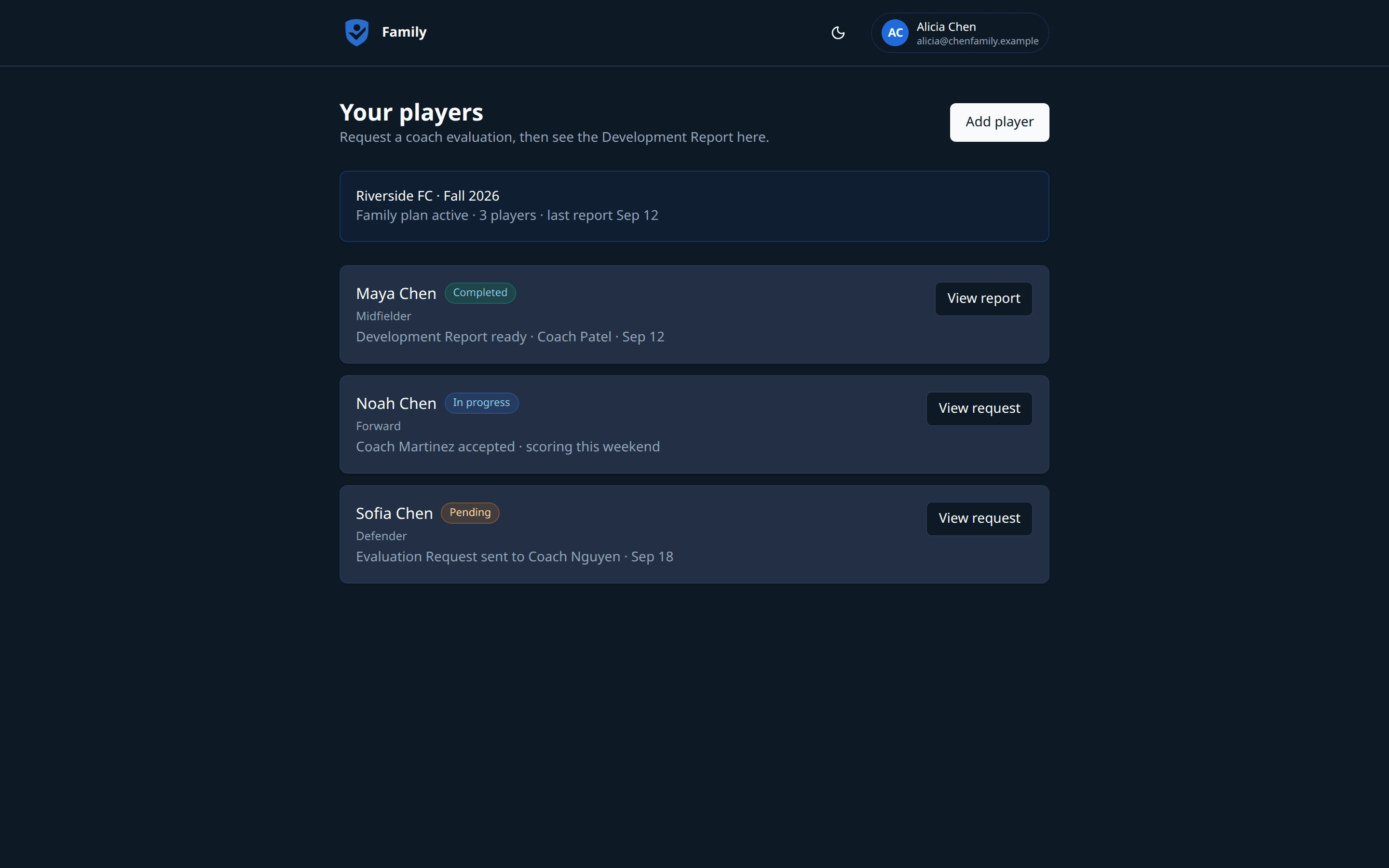
Family home
See each child's Evaluation Request status and open reports when they are ready.
Development Report
Clear next steps for practice, not jargon. Follow progress without chasing texts.
Create a parent account and send your first Evaluation Request.
The Family plan covers the parent Development Report loop. See Pricing for details.
Parents
Coach evaluations, Development Reports, and AI practice plans for your players
Yes. Evaluation Requests go to coaches who have a YouthTeams account. If your coach is not signed up yet, ask them to create a free coach account so they can accept your request and score your player.
Parents see the parent-facing Development Report: strengths, growth areas, and at-home drills from a completed evaluation. You do not see coach-only notes. Coaches keep full authority over scores and internal comments.
Yes. Family home is built for households. Add each player, then send Evaluation Requests and open reports per child from one dashboard.
You land in Family home. Add your players, then email a coach an Evaluation Request. When scoring is done, the Development Report appears in Family home with status you can check anytime.
Family is the parent subscription for Evaluation Requests, Development Reports, and player history. See Pricing for current Family plan details.
Create a parent account, add your players, and send your first Evaluation Request.